NewTwo-way sync with your own website

One stock count.
Every channel.

OneStock keeps a single ledger of your inventory and pushes the true number to Amazon, Flipkart, your website and your counter, seconds after every sale. Stop overselling, stop reconciling spreadsheets.

onestock.alviontools.com/inventory-management/overview
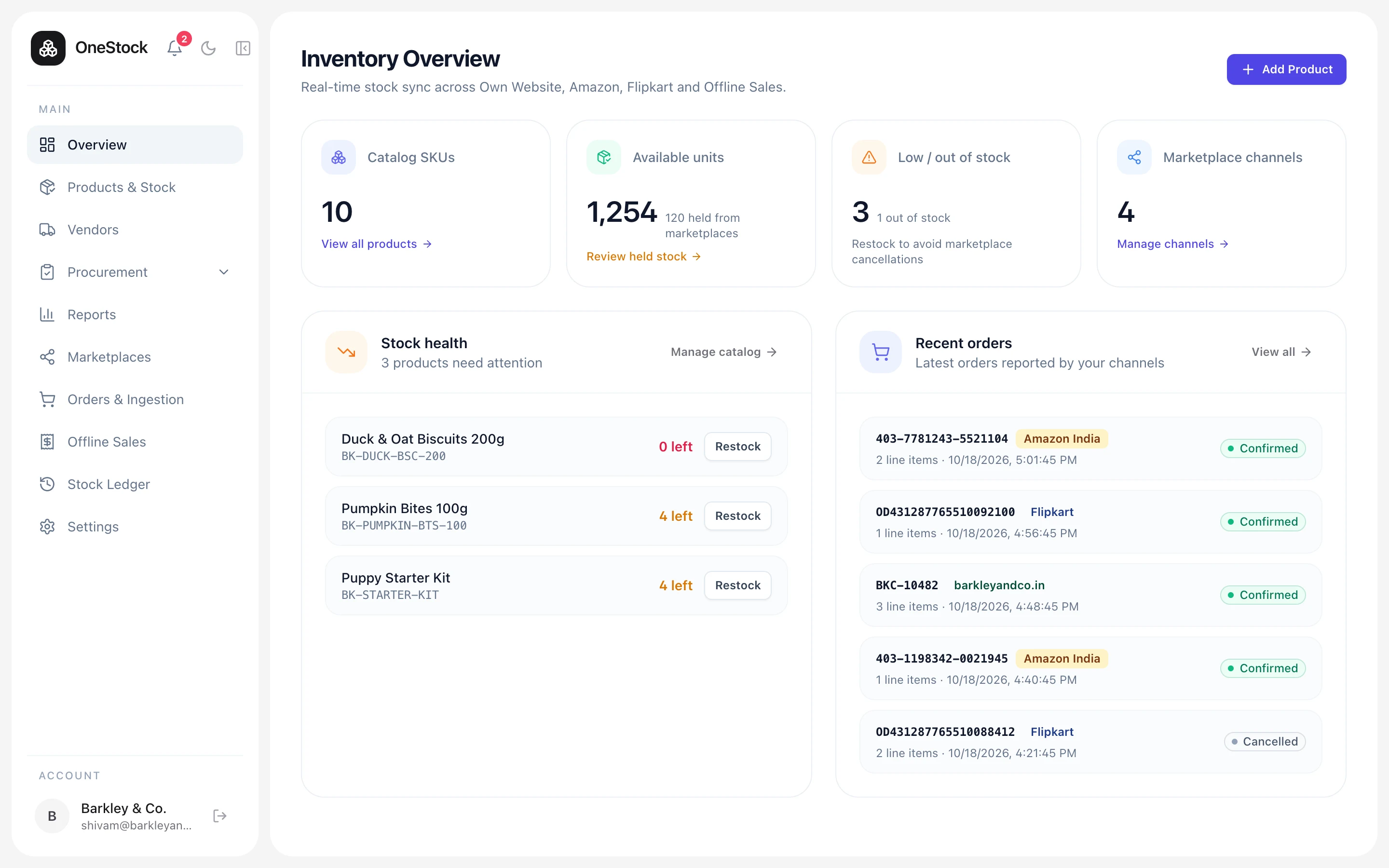
OneStock inventory overview
One number, kept true across
  • Your own website
  • Amazon Seller Central
  • Flipkart Seller Hub
  • Retail counter & offline
The problem

Four places to sell.
Four different answers.

Every channel keeps its own count, and none of them know what the others just sold. Somebody updates a sheet at night. By morning, a marketplace has sold stock you no longer have, and you eat the cancellation.

Amazon says12
Flipkart says9
The spreadsheet says14
The shelf actually hasand OneStock says the same, everywhere3
How sync works

A sale anywhere
is a sale everywhere.

  1. 01

    An order lands

    Marketplace webhooks and your site’s orders arrive at one door. A retried webhook for the same order is recognised and ignored, never counted twice.

  2. 02

    The ledger writes it down

    One append-only entry per movement, and the outbound update is queued in the same database transaction. No half-written states, no race between channels.

  3. 03

    Every other channel catches up

    A background worker pushes the new count to each connected channel, including every combo that contains the item, and retries until each one confirms.

Live sync
BK-GRAVY-CHK-120
Available · one number
412
Chicken Chunks in Gravy 120g
17:03:41-1amazon · 403-7781199-5520870
17:03:02-2own website · BKC-10479
17:02:09+240GRN-0041 · PO-0116
17:01:33-1flipkart · OD43128776551009
  • Amazon
    in sync
    412
  • Flipkart
    in sync
    412
  • Own Website
    in sync
    412
  • Offline Sales
    in sync
    412

A simulation of a real sync, running in your browser

1
ledger behind every count
<2s
from a sale to every channel
0
double counts from retried webhooks
100%
of movements traceable to a cause
What’s inside

The boring parts of inventory, done right.

Combos that count themselves

Bundles and multi-packs hold no stock of their own. Their count is worked out from the items inside, so selling a kit on Amazon updates the single items on Flipkart. Try it.

Puppy Starter Kit
30
min(60, 50, 30)
  • Gravy 120g60
  • 2× Milky Treats100
  • Pumpkin Bites30

A ledger, not a counter

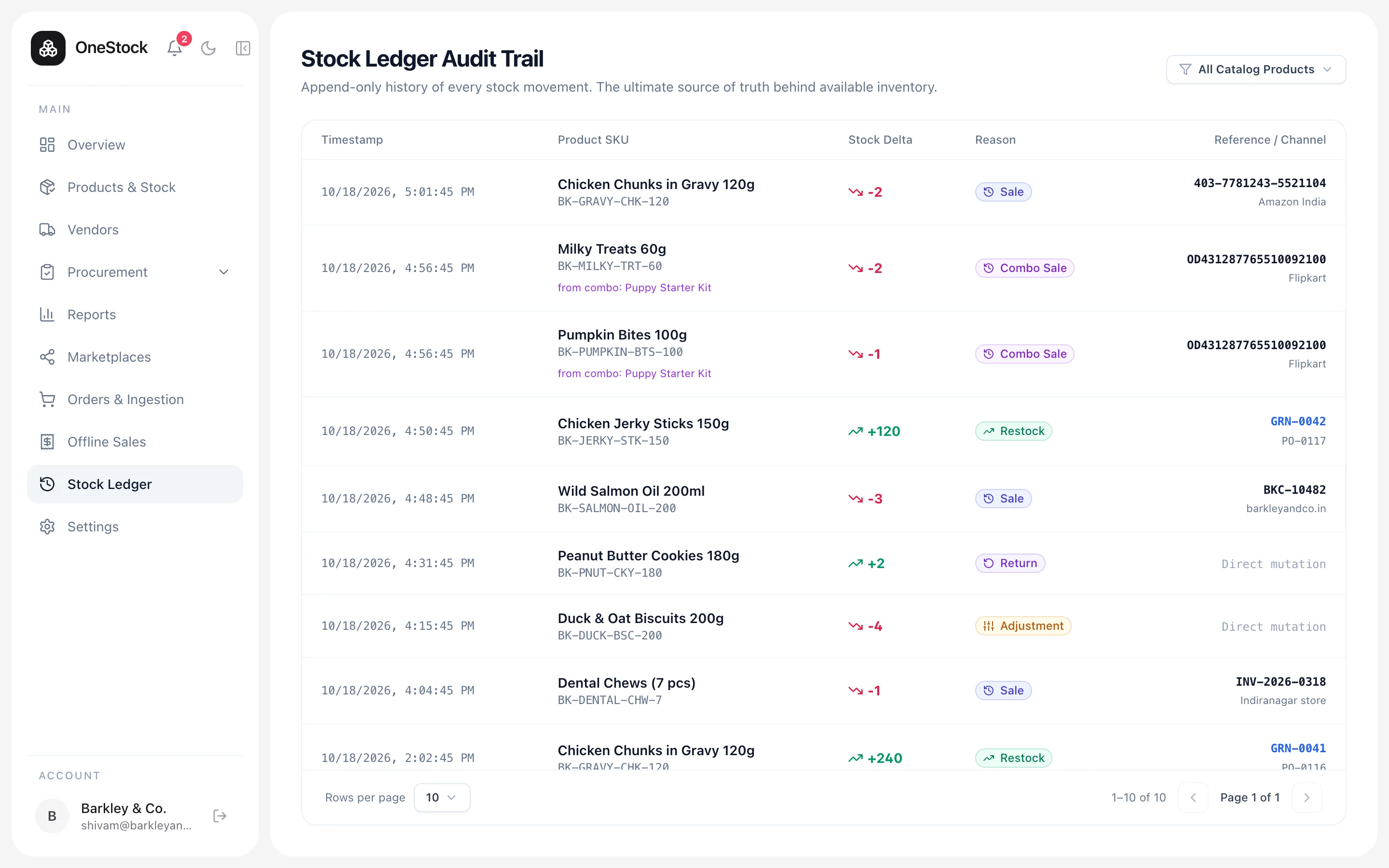
Stock is never overwritten. Every sale, return, restock and correction is its own line with the order, goods receipt or person behind it. When a number looks wrong, you can see exactly why.

  • ORDER_SALE−2amazon · 403-7781243
  • COMBO_SALE−2flipkart · starter kit
  • RESTOCK+120GRN-0042 · PO-0117
  • RETURN+1barkleyandco.in
  • ADJUSTMENT−4damaged in transit

Hold stock until you’re ready

Turn auto-sync off and received stock waits in OneStock until someone publishes it. Count it, shelve it, then let the marketplaces see it.

264 units · 120 heldmarketplaces see 144

Retries can’t double-count

Marketplaces resend webhooks. The same order arriving twice is a no-op, so stock is deducted exactly once.

OD4312…092100applied −1
OD4312…092100duplicate · ignored

Roles for the whole team

Admins approve and configure; moderators run the day-to-day.

One account, one seller ID

Each marketplace account belongs to exactly one organization.

Reports you can export

Purchase register, vendor performance, delivery variances and more, as CSV.

Bring your catalog

Import every SKU, combo and listing from one spreadsheet.

The product

Calm software for a busy warehouse.

Quiet tables, honest numbers, and nothing you have to learn twice. Light and dark, desktop and phone.

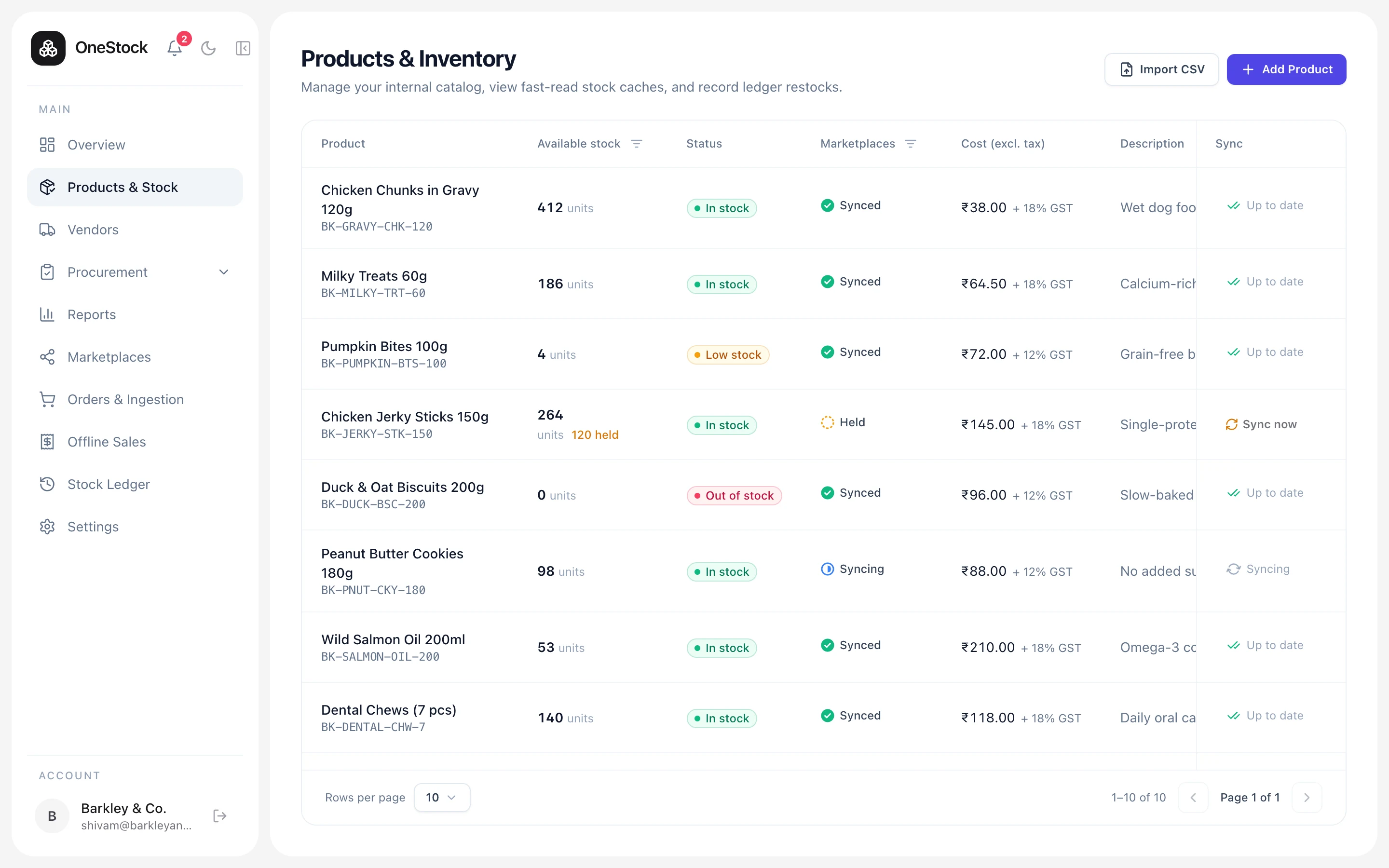
Every SKU, its true count, and whether the marketplaces have it yet.

Stock level, held units and sync state per product, with combos and packs alongside the items they are made of.

onestock.alviontools.com/inventory-management/products
Products & stock screen in OneStock
Procurement

From “we need more” to on the shelf.

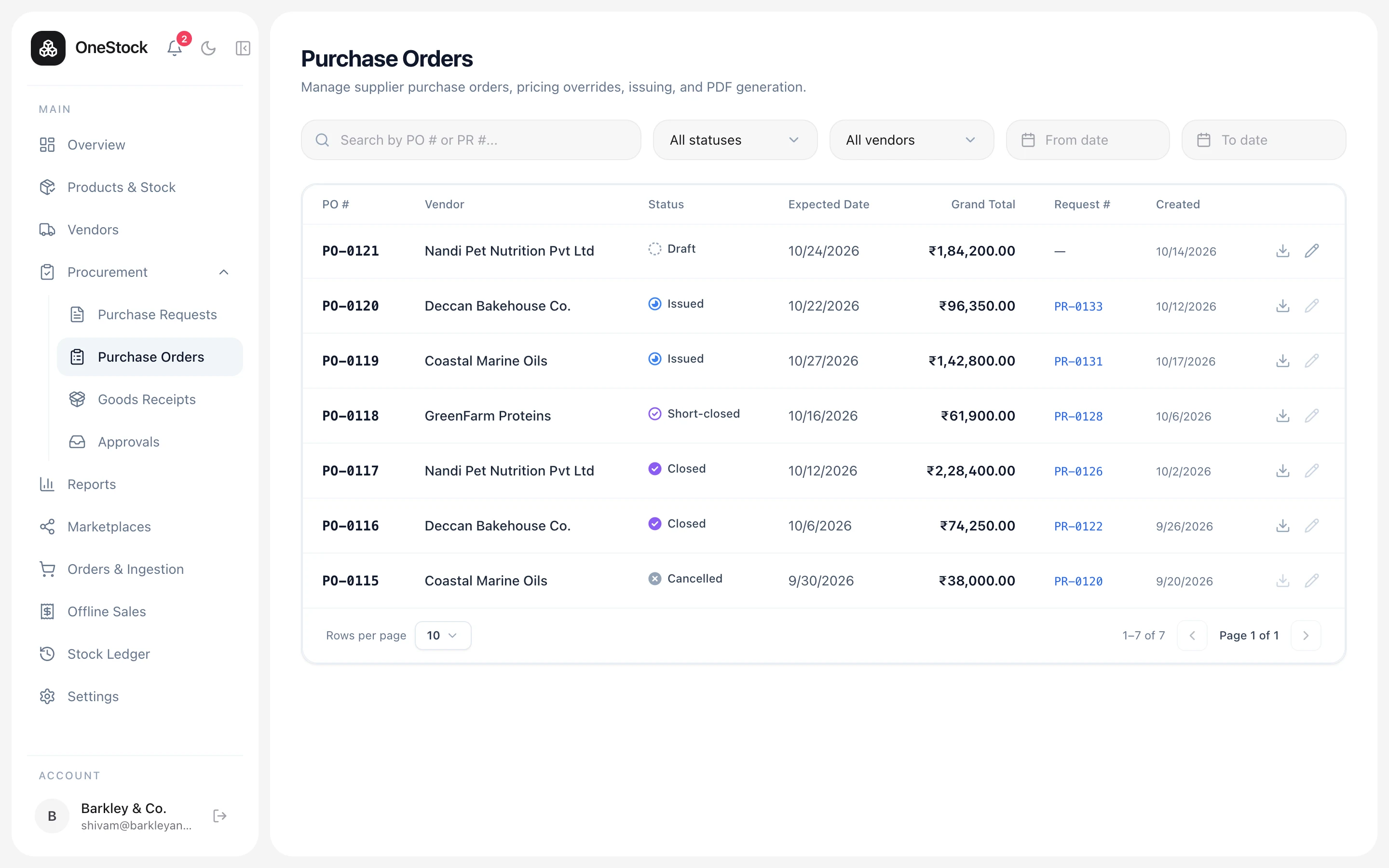
Buying runs through the same system as selling, so every restock in the ledger points back to the PO and the person who approved it.

  1. Step 01

    Purchase request

    Anyone on the team drafts what to buy and why.

  2. Step 02

    Approval

    An admin approves, rejects, or asks a question in the thread.

  3. Step 03

    Purchase order

    Issued to the vendor as a GST-ready PDF.

  4. Step 04

    Goods receipt

    Count what arrived, reject what didn’t pass.

  5. Step 05

    Restock

    Accepted units hit the ledger, linked to the PO.

Get started

Never sell what you don’t have.

We set up your organization, connect your channels and import your catalog with you. Most sellers are live in a day.

Contact sales

Tell us how you sell today.

A short call is usually enough to tell whether OneStock fits. If it does, we set up your organization, connect your channels and import your catalog with you.

Response time
Within one working day
Where do you sell?

Or email sales@alviontools.com